
Shield360 › Platform
The platform,
screen by screen.
The Shield360 AI Control Plane is four modules on one dataset: Security, Finance, Compliance and Developer. Everything below is a working area of it today. Where a screen is empty in the captures, it is empty because the environment they were taken from is a small engineering fleet — not because the feature is a plan. Where something is genuinely not built yet, this page says so.
01 · The map
How the product is organized
Four groups, and a home screen
that answers before you navigate.
Shield360's navigation is organized by the question being asked rather than by the subsystem answering it. Monitor and Develop are everything about AI in use. Compliance is everything an auditor asks for. Settings is who may do what. Home is the answer you get without navigating at all.
| Group | Screens | Answers |
|---|---|---|
| Home | Home | What AI costs, who is using it, and what needs attention. |
| Monitor | Telemetry, Visibility, Agents, Activity provenance, Live Traffic, Evaluations, Agent tests, Costs, Finance, Executive, Fleet Hub, Alerts, Findings | What AI did, what it cost, and how well it did it. |
| Develop | Prompt Hub, Vault, Contexts, Documents, Agent Access, Memory, Scanner, Sensitive Data, AI Code Rework, Rule Engine, Openground | What engineering builds with, and the controls around it. |
| Compliance | Overview, AI inventory, Controls, Impact assessments, Data dictionary, Findings, AI requests, Transports, Internal audits, Management review, Risk register, Data protection, Prompt injection, Policies, Policy changes, Audit log, Legal holds | What AI runs and who approved it, how each control stands, what was stopped, who looked, how long it is kept. |
| Settings | Organization, Projects, Profile, API keys, Collection & deployment, Data retention, AI accounts, Connectors, License, AI analyst, Integrations, Team, Billing | Who may do what, in which project and environment. |
The Shield360 AI Control Plane
One plane, every AI signal.
What Shield360 reads from underneath, the pipeline it flows through, and what it answers for on top.
02 · Home
The executive answer
The number, the trend,
and who is behind it.
Home is built for the person who has five minutes before a board meeting. Six figures across the top, one chart, and the people behind them — over 24 hours, 7 days, a month, a quarter or a window you pick.
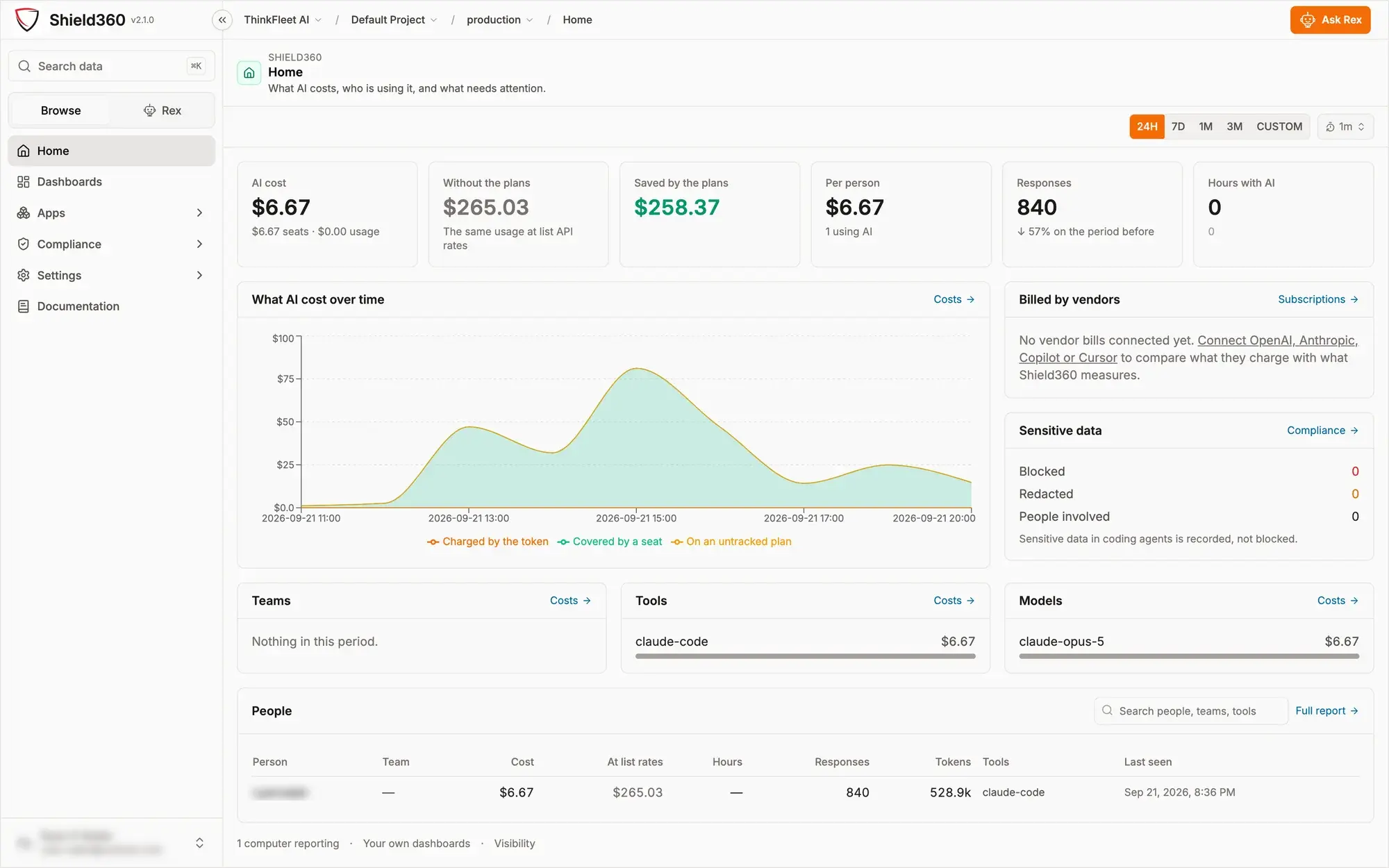
AI cost, and the counterfactual
What you were charged, beside what the identical usage would have cost at list API rates, and the difference between them. A seat that looks expensive in isolation is often the cheapest line on the page once the comparison is drawn.
Billed by vendors
Connect OpenAI, Anthropic, Copilot or Cursor and Shield360 compares what the vendor charged against what it measured. Until a vendor bill is connected the panel says so, rather than implying the two agree.
Sensitive data, at a glance
Blocked, redacted and people involved, with a link into the compliance detail — and a line stating the current posture in words, so nobody reads a zero as protection when the control is set to warn.
Ask Rex
A built-in assistant that queries this data rather than the open web, for the questions that are faster asked than navigated to.
03 · Visibility
Who, where, with what
The fleet, and every person in it.
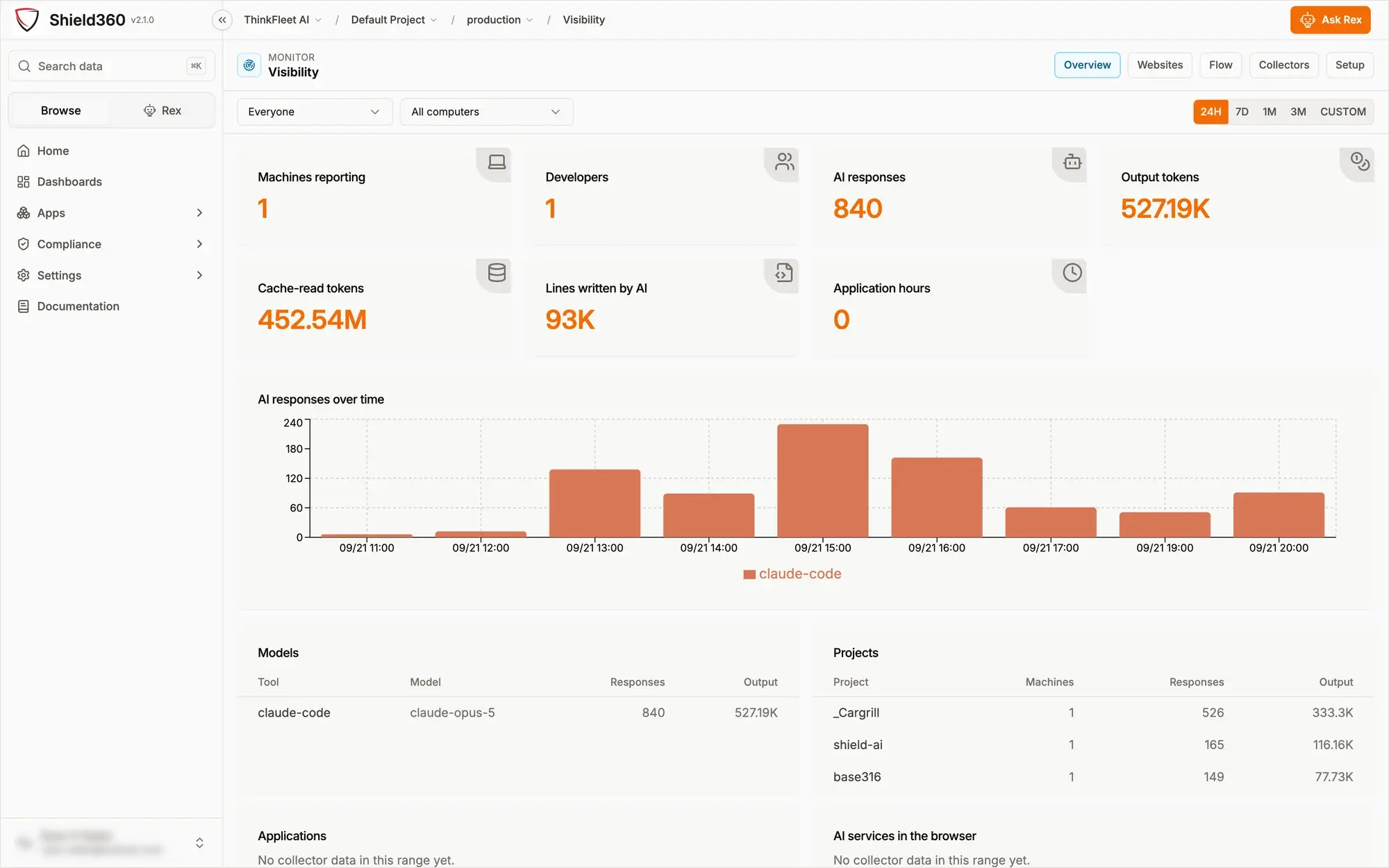
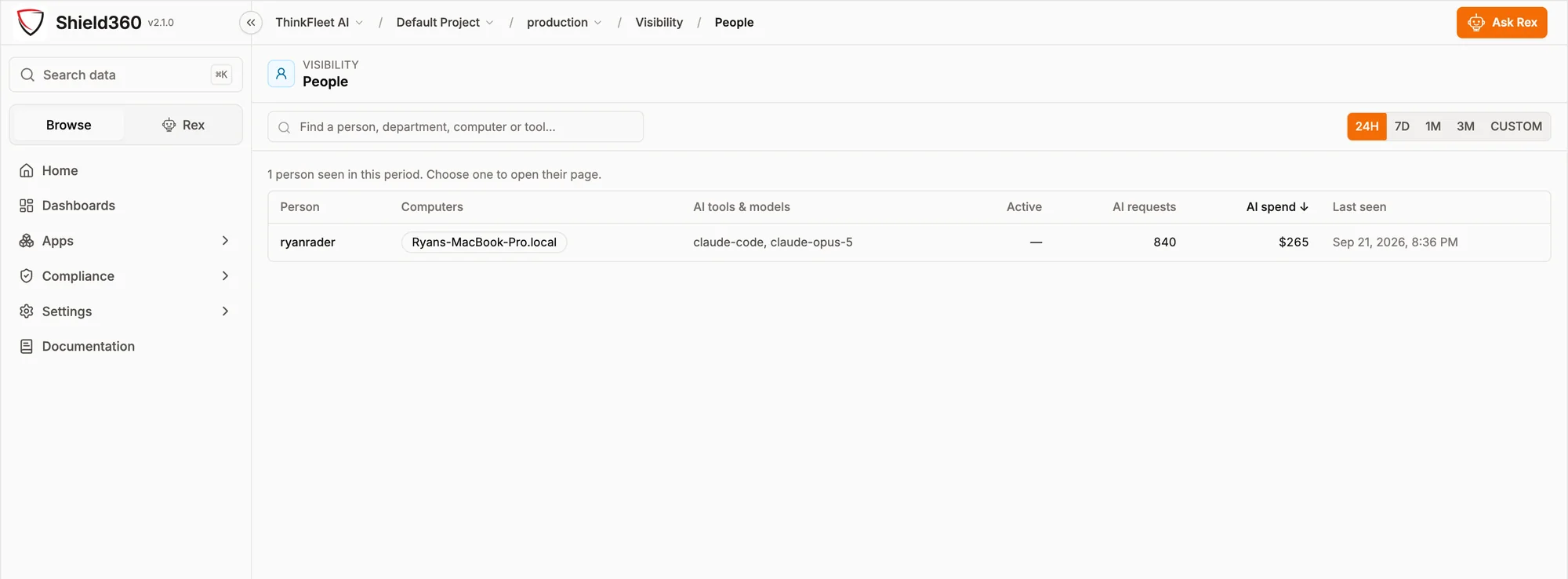
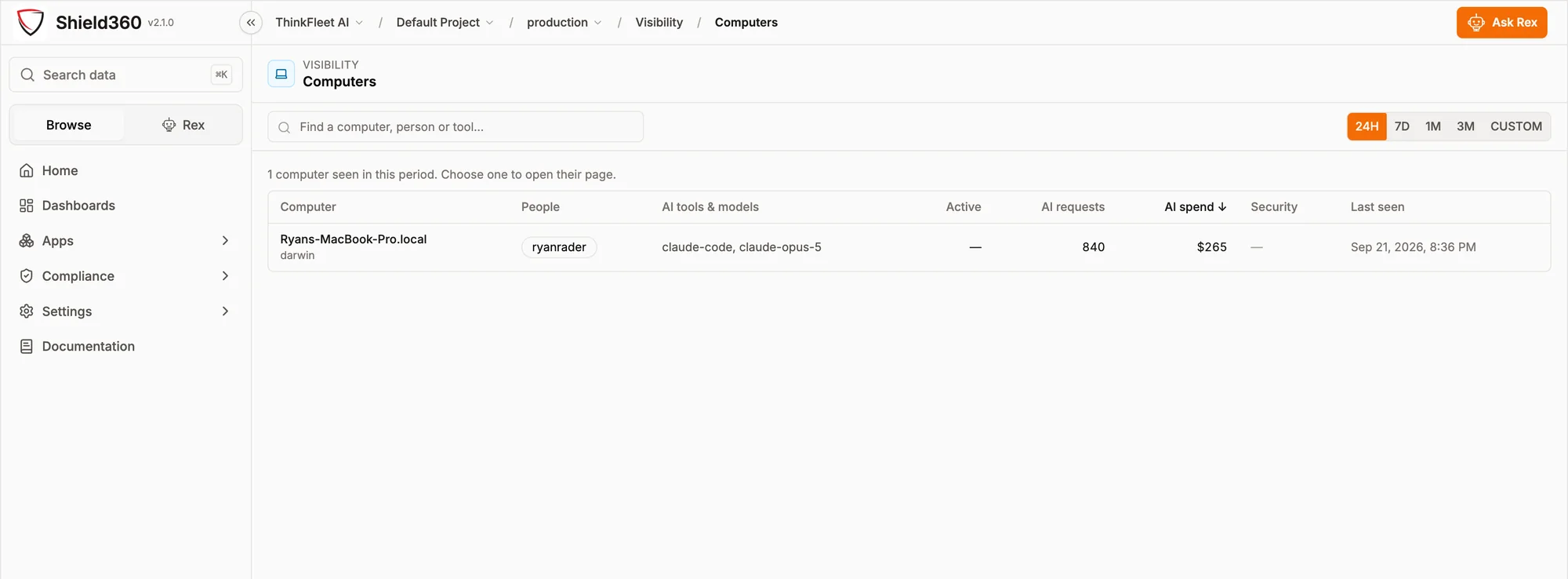
Visibility is the collector's view of your organization: machines reporting, developers active, responses, tokens, and the lines of code AI actually wrote. It has tabs for Overview, Websites, Flow, Collectors and Setup, and drill-downs to a single person or a single computer.
Websites and Flow
Where AI is being used through a browser rather than a tool, and how work flows between tools, models and projects. Browsing collection is off until an administrator enables it, and records a registrable domain unless explicitly widened.
Collectors and Setup
Which machines are reporting and which stopped, plus the install keys themselves. One key covers a whole fleet for an MDM rollout; each machine exchanges it for its own revocable token.
No team or department grouping
Stated plainly because it is often assumed: there is no departmental hierarchy to slice by unless your own data supplies one. Shield360 reports by person, machine, tool, model and project, which is what it can observe rather than what it can infer.
04 · Costs
Charged, covered, or untracked
Every dollar, and the basis
on which it is claimed.
The Costs area has five tabs — Analytics, API keys, Manage models, Subscriptions and Configuration — and one governing idea: no figure is shown without the basis on which it was reached.
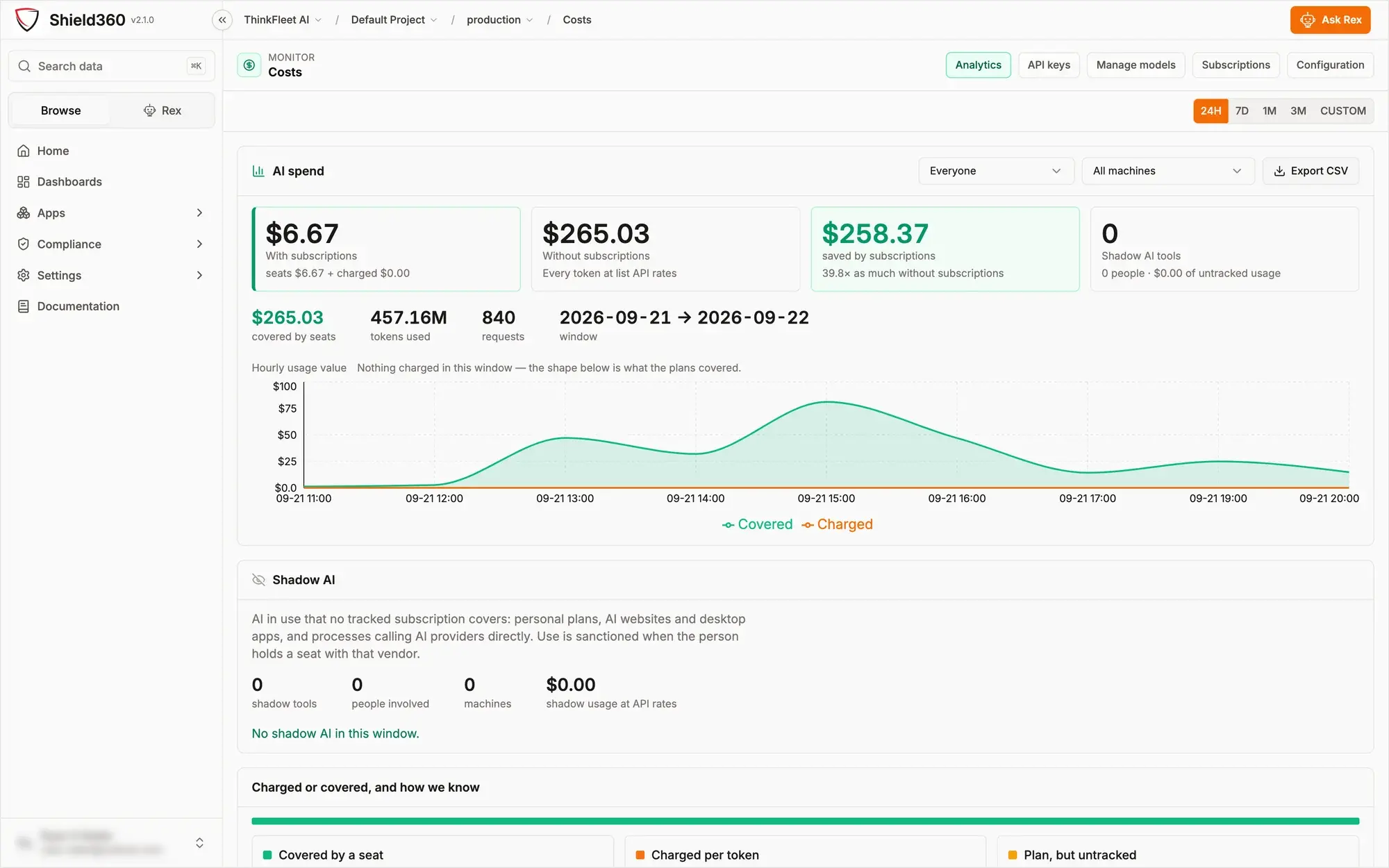
With subscriptions, against without
What you paid — seats plus anything charged per token — beside the identical usage repriced at list API rates, and the ratio between them. It is the only honest way to answer “is the seat worth it?”, and it answers in both directions: sometimes the ratio says cancel.
Shadow AI
AI in use that no tracked subscription covers: personal plans, AI websites and desktop apps, and processes calling providers directly. Shield360 treats use as sanctioned when the person holds a seat with that vendor, so the number that survives is the number worth investigating.
Charged or covered, and how we know
A breakdown stating, per slice, why it was classified as it was. A fact beats an assertion: a tool reporting its own authentication type overrides an administrator's rule, and usage nobody can account for is labeled untracked rather than counted as covered.
API keys, models and subscriptions
Which key spent what and who owns it; the price book used to value each model, which you can correct; and the seats you hold, assigned to the people who hold them. Together these are what turn a token count into an invoice line you can defend.
05 · Compliance
Stopped, held, read, kept
The four questions an auditor asks,
on four screens.
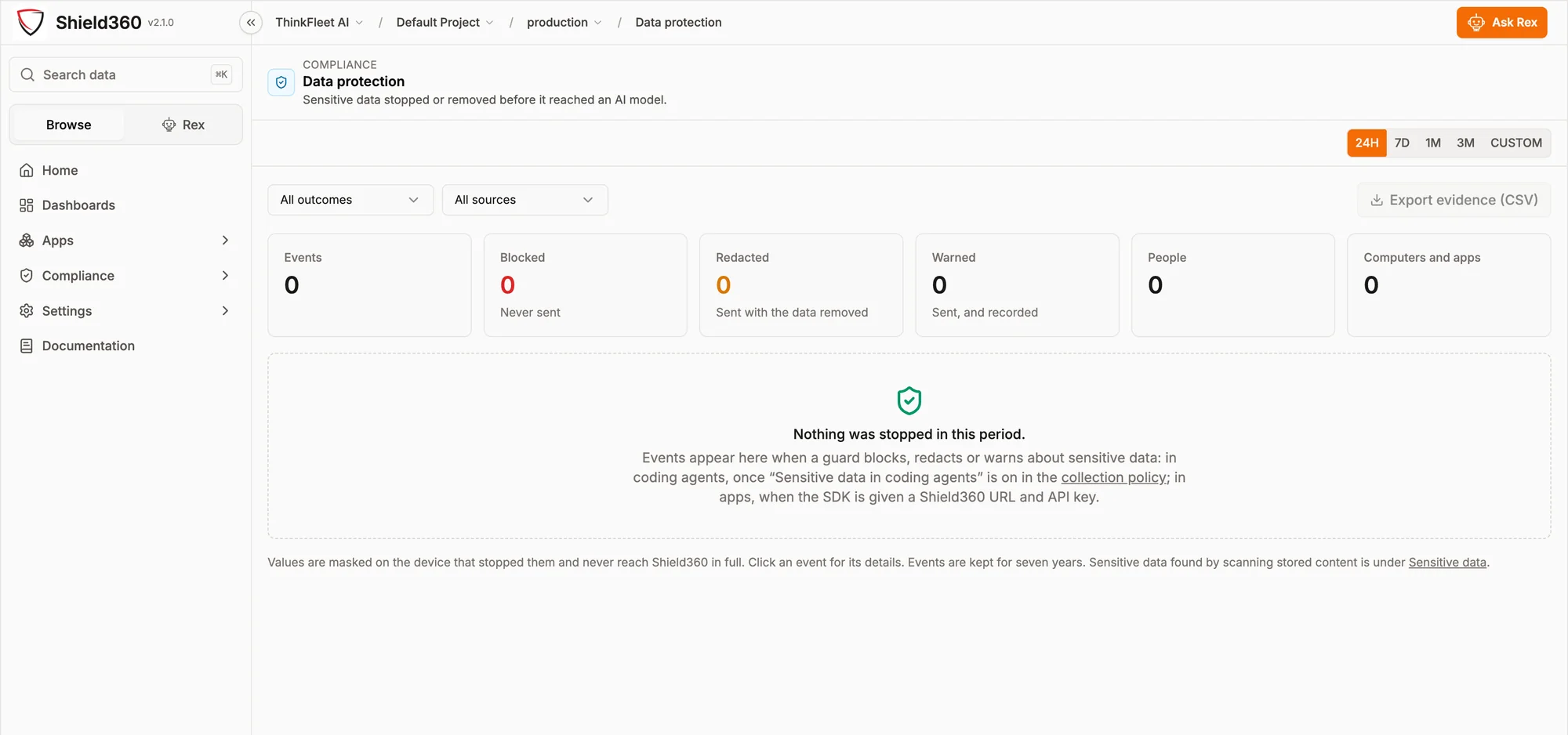
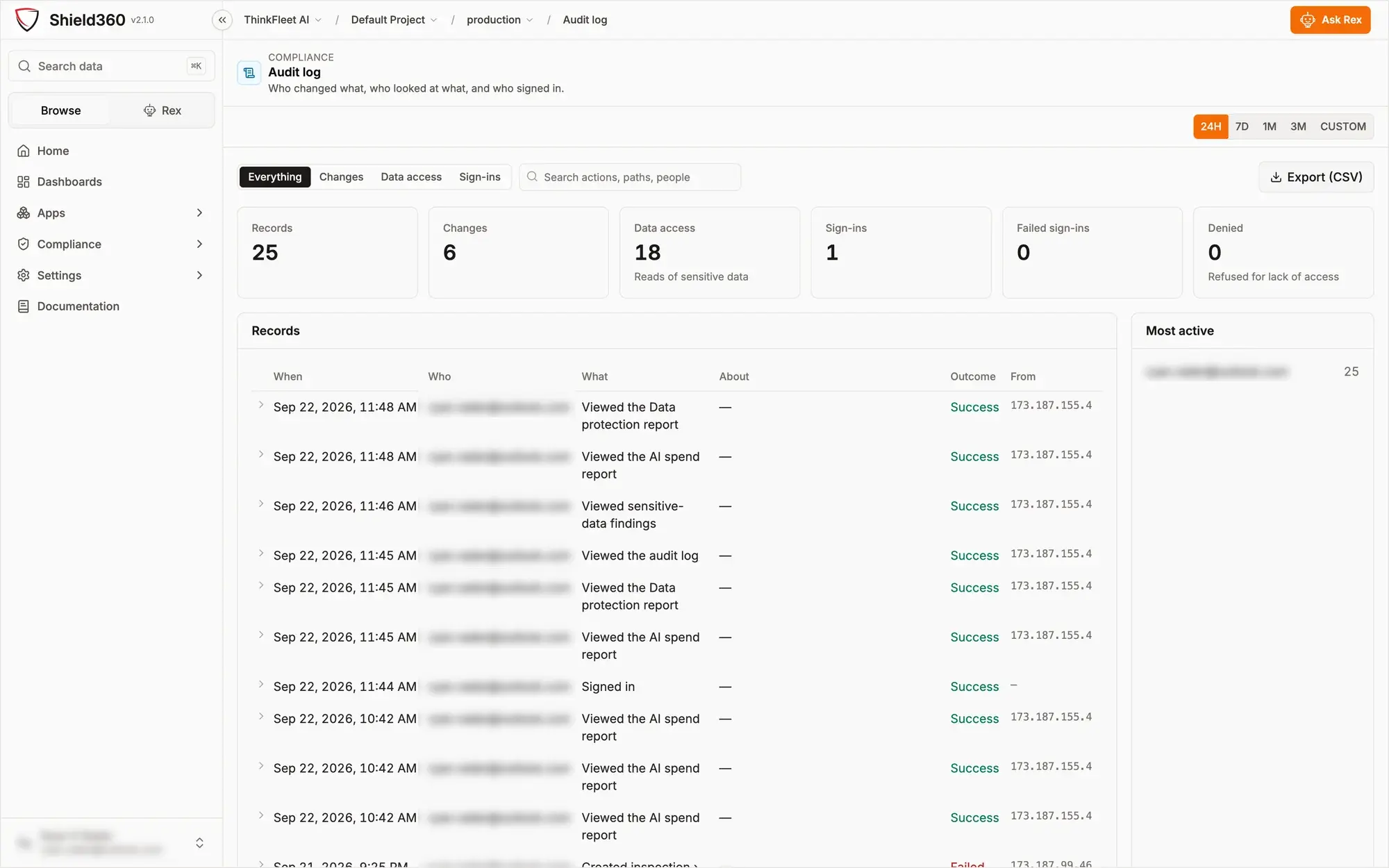
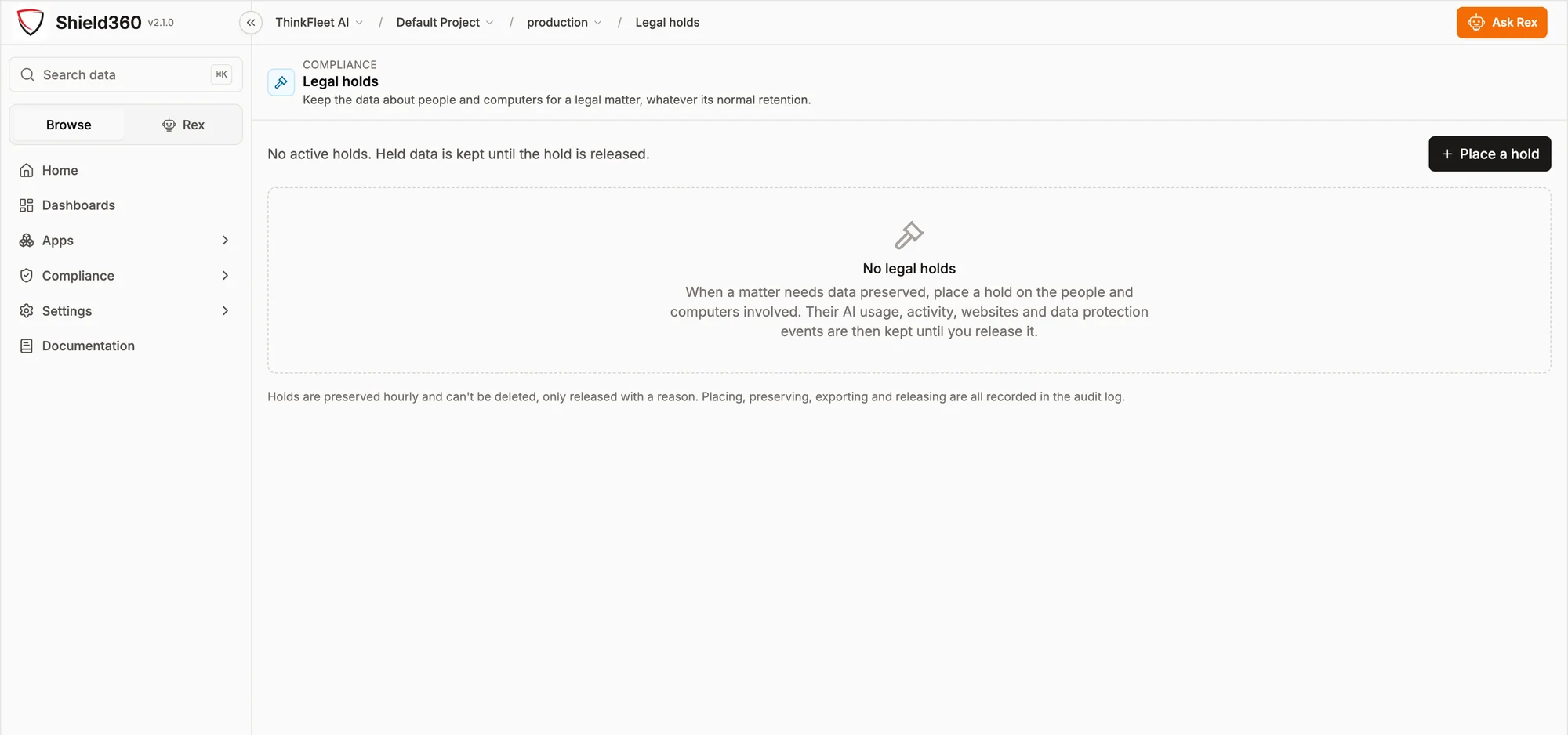
Overview, Data protection, Audit log and Legal holds. Between them they answer what is being stopped, what is held, who looked at what, and how long it is kept. The compliance page covers this in depth.
06 · Agent access
Deny by default
Agents get their own identity,
and only what you granted.
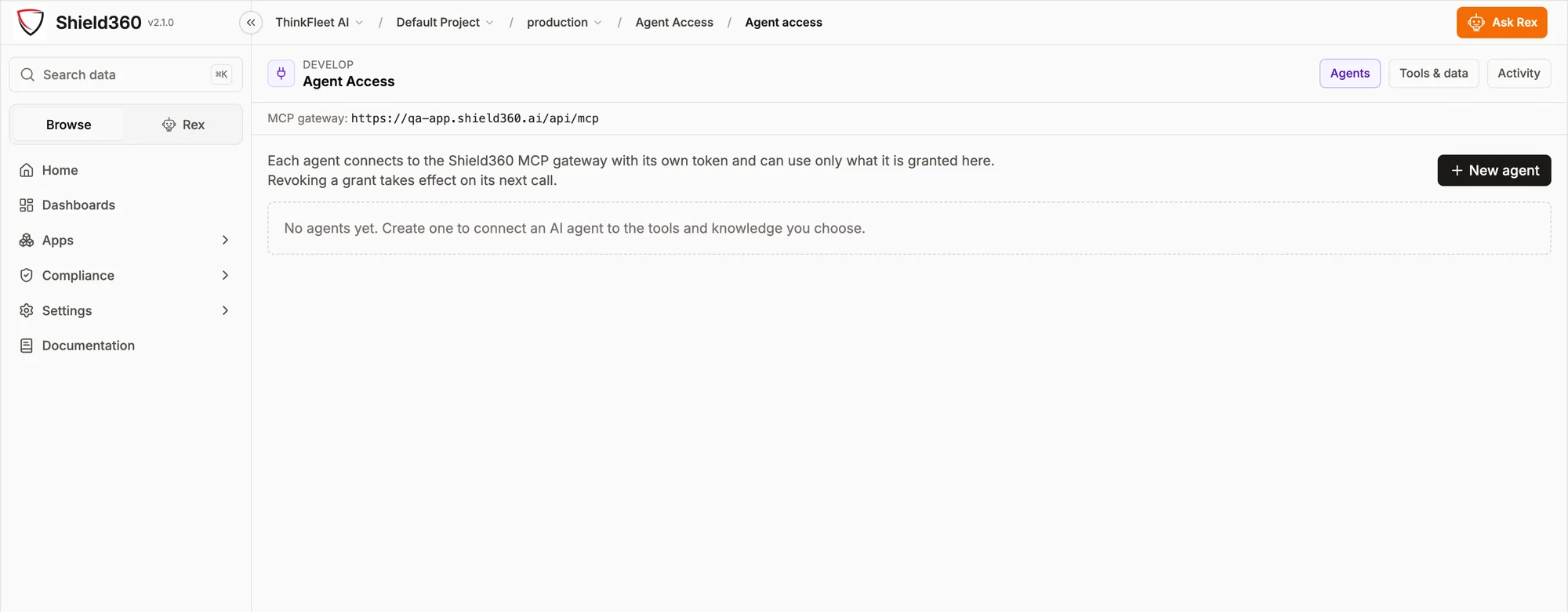
An AI agent with a shared API key is an unauditable principal. Shield360 runs an MCP gateway: each agent connects with its own token and can reach only the tools and data it has been granted. Revoking a grant takes effect on the agent's next call.
One gateway endpoint
Agents point at a single MCP endpoint on your own deployment rather than at each underlying tool. That is what makes a grant revocable centrally instead of requiring a credential rotation in every place the agent runs.
Grants, not keys
Access is expressed as what an agent may use, not as possession of a secret. Two agents with the same job can hold different grants, and the difference is visible on one screen rather than inferred from a key vault.
Activity is a first-class tab
What each agent called, and when. An agent's behavior is reviewable in the same place its permissions are set, which is the only arrangement under which the permissions get reviewed at all.
07 · Memory, prompts & context
What agents know, and what they are told
What your agents remember,
and what they are told.
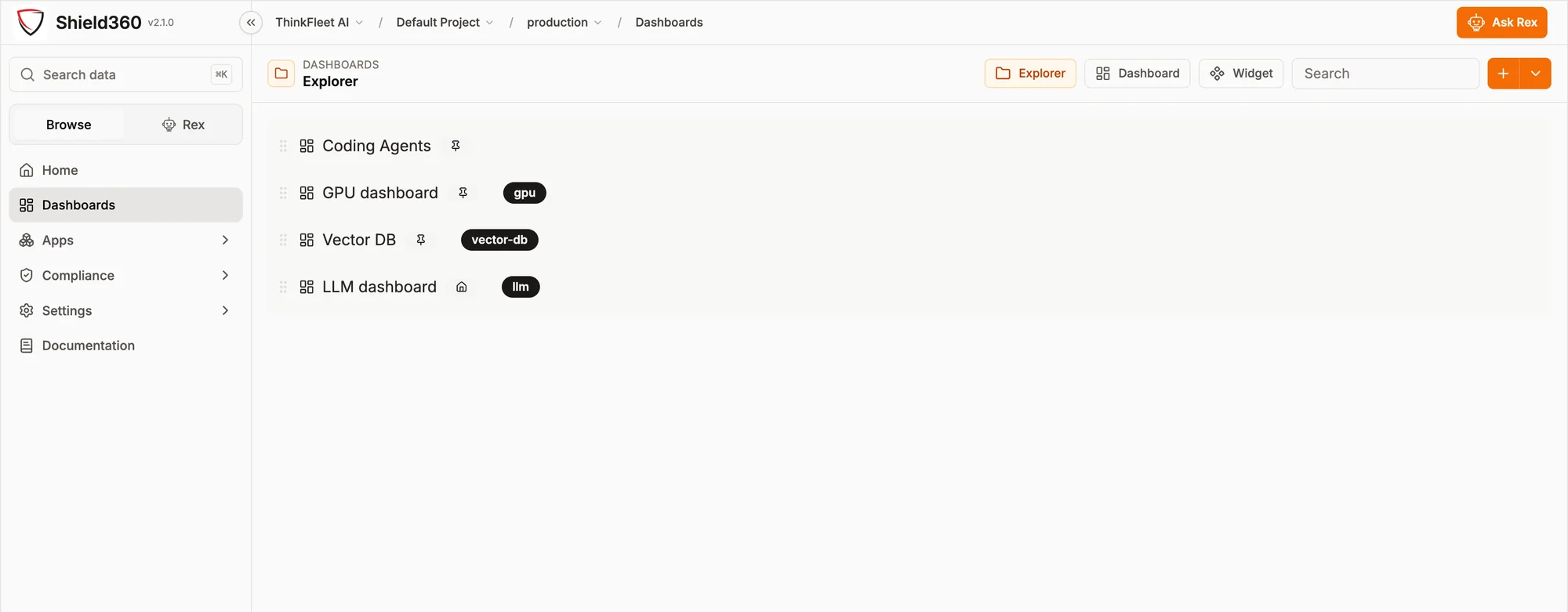
An agent's behavior is decided as much by its memory, its prompts and the context it is handed as by the model underneath. Those are usually scattered across vendors and repositories. Shield360 puts them behind the same roles and audit log as everything else.
Agent memory
Connect the memory stores your agents use — Claude, Mem0 and Zep today — and see, search, correct or delete what they remember from one screen. Memories can be copied between stores, and every read and change is permission-checked and written to the audit log.
Contexts & documents
Curated context, with documents linked to it, that agents read through the MCP gateway. An agent sees only the contexts it was granted, so sharing knowledge with an agent is a grant you can see and revoke rather than a file copied into a prompt.
Prompt Hub
Versioned prompts with variables, retrieved by your applications at run time, so a prompt change is a tracked version rather than a redeploy.
Rule Engine
Conditions that decide which prompt or context a request receives, evaluated on the platform instead of branching logic spread through application code.
Vault
Provider keys and secrets encrypted at the application level, with access control and usage tracking, and linked to the models your teams test against.
Openground
Side-by-side comparison of models, prompts and parameters on cost and output, for the decision that is otherwise made on a vendor's benchmark page.
08 · Traces & evaluations
For the teams shipping AI
OpenTelemetry underneath,
so it is not another silo.
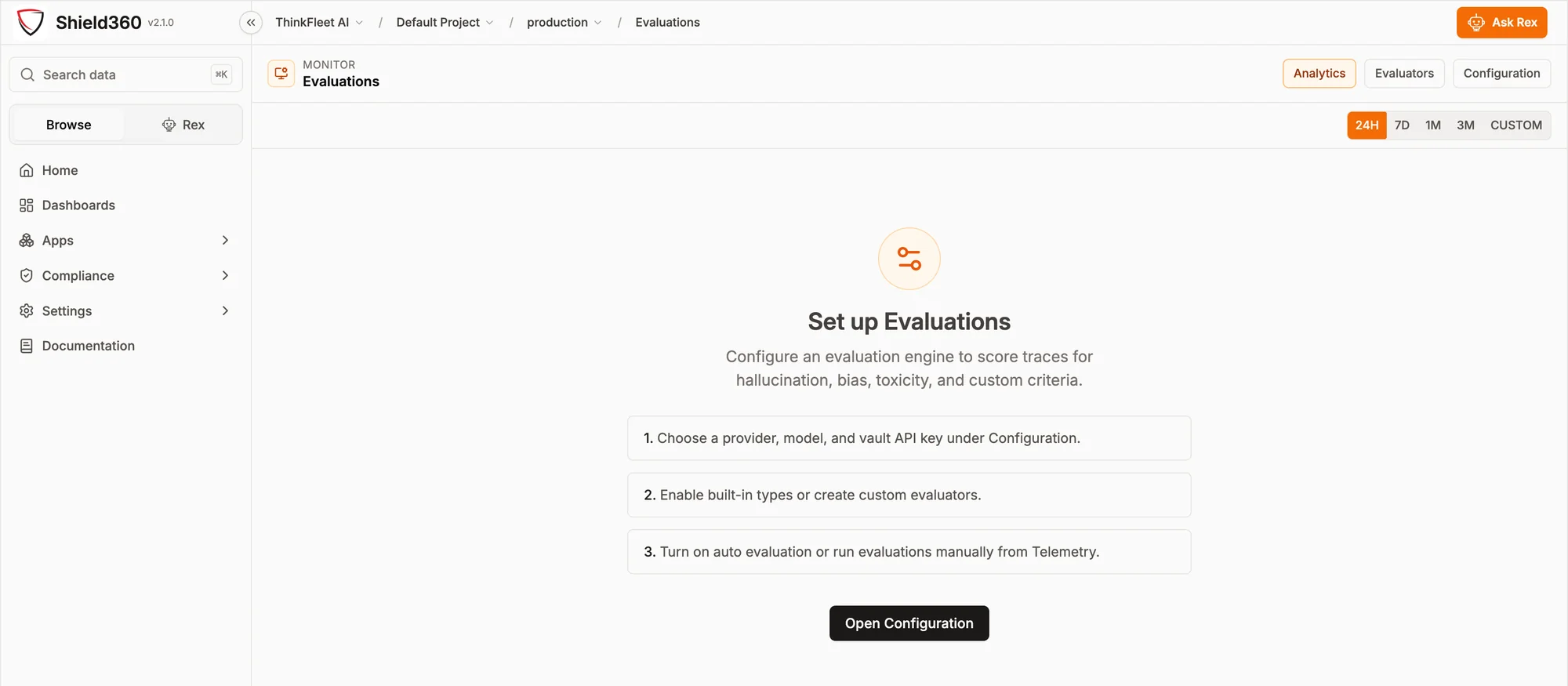
Shield360's tracing is OpenTelemetry-native. Applications instrumented with the Shield360 SDK — Python, TypeScript, Go or .NET — or with any OTLP exporter pointed at Shield360, produce traces, metrics, logs and exceptions for LLM calls, tool invocations, agent steps, vector databases and GPUs.
Generation issues, detected
Traces are checked for the failure modes that do not raise an error: truncated output, filtered responses, empty generations, a model silently swapped, and agent loops. These are counted rather than left for somebody to notice in a log.
Applications and agents
Instrumented applications and the agents inside them, discovered from the telemetry they send. The Fleet Hub tracks the collector and controller processes themselves.
Monitoring the AI in your own product: Shield360 for AI builders
09 · The collector
One command per machine
One install key for the fleet,
one token per machine.
The collector is a single binary. It enrolls with your organization's install key — passed through MDM rather than typed on a command line — exchanges it for a token of its own, and installs hooks for whichever coding agents it finds. It re-checks hourly, so an agent installed next month is picked up without anyone running a command.
# The key is passed in the environment, so it never reaches the process table.
SHIELD360_INSTALL_KEY=<key> shield360 collector enroll --url https://app.shield360.ai
shield360 collector install
Windows uses the equivalent PowerShell script from the same place. One install key covers the whole fleet; each machine's token is revocable on its own.
What it reads
Files the AI tools already write about themselves, which application is in front, and — only when the collection policy turns it on — the operating system's socket table and browsing history. On macOS that socket table is read with lsof, which reads a user's own processes without elevation.
What it never does
It installs no certificate, touches no proxy setting, opens no listening socket and is never in the path of a request. That is a property of how it is built, not a setting that could be changed by a future release note. The optional AI proxy is a separate component, and only applications you point at it reach it.
Coding agent hooks
Hooks for Claude Code, Cursor and Codex report what the agent did and what it wrote, and are the point at which data protection can warn about or block a prompt before it reaches a model.
10 · Boundaries
What this page is not claiming
What Shield360 does not do.
A platform page that lists only capabilities is a page a buyer has to verify line by line. These are the boundaries worth knowing before a pilot, stated here rather than discovered in week three.
See it against your own questions.
A briefing walks these screens with your security, finance and compliance people in the room, and says plainly which of their questions the product does not answer.