
Shield360 › For AI builders
SaaS & AI builders · Build it responsibly
Ship AI features.
Keep the record.
Traces, cost, alerts and guard decisions for every app you build on AI, through the Shield360 SDK or OpenTelemetry. Nothing to install on anyone’s computer.
Governing your whole company’s AI use? The collector, browser extension, AI proxy and coding-agent hooks are the enterprise side.
See the enterprise platformCapabilities
Every app on AI, on one record.
What your apps send arrives under each app’s own name, so every screen below can be read app by app.
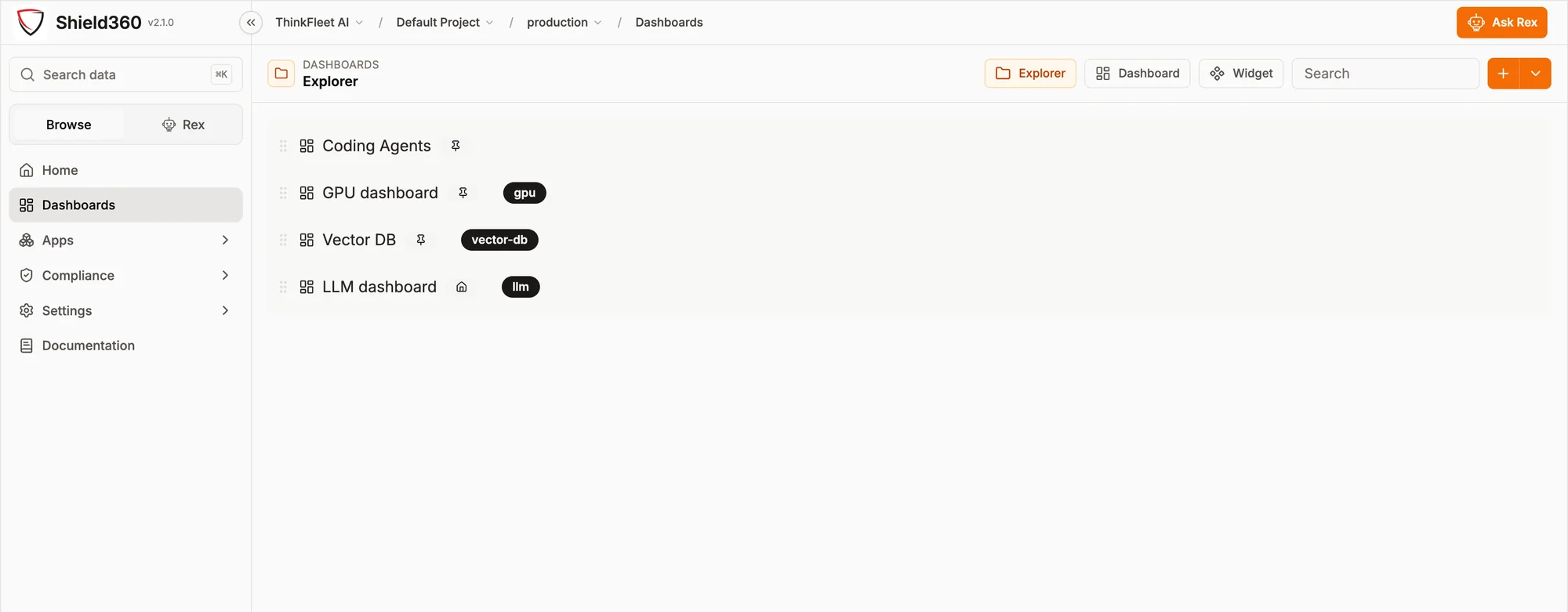
Traces and exceptions
LLM calls, tool calls and agent steps as OpenTelemetry traces, with requests, metrics and exceptions. Filter the traces by application.
Telemetry · TracesCost by app
Token cost for each call, estimated from token counts and model prices, and broken down by application, environment, provider and model.
CostsDashboards
A prebuilt board for LLM workloads, plus an explorer and a widget builder for boards of your own.
DashboardsAlerts per service
Error rate, latency, request count, tokens or cost over a window of 30 seconds to an hour, for one service or grouped by service. Sent to Slack, Teams, PagerDuty, email or a signed webhook.
Alerts · Rules and channelsGuards in the SDK
Personal data, prompt injection, moderation, topic and schema guards run inside your app. Decisions other than allow are reported with the app and host, never the text.
TypeScript and Python SDKsGuard check API
From any language, ask before you send text to a model: allow, warn or block for prompt injection, secrets and personal data, with a redacted copy. The text is never stored or logged.
POST /api/guard/checkEvaluations
Score your app’s traces for prompt injection, in what went into the model and what came out, with the detector the MCP gateway uses. Hallucination, bias, toxicity and your own criteria are judged by your evaluation model.
EvaluationsYour apps in the AI inventory
Each app that sends traces is listed as an application, or as an agent when it calls tools, with an owner, purpose, risk rating and a decision that expires.
Compliance · AI inventoryHow it connects
Add the SDK. Name the app. Send.
Your apps send OpenTelemetry to Shield360 over HTTPS. Nothing runs on your employees’ computers.
-
Instrument
Add the Shield360 SDK to the app, or keep the OpenTelemetry exporter you already run.
- TypeScript · Python
- Go · .NET
- Any OTLP exporter
-
Name
The application name you set becomes the trace’s service name, and the environment travels with it.
- Application name
- Environment
-
Send
A Shield360 URL and API key are enough for the TypeScript, Python and .NET SDKs. Go and other exporters send OTLP with the key as a bearer token.
- /api/ingest/otlp
- API key per environment
-
Land
The key alone decides where the data is written; nothing in the payload can move it. On the hosted service each organization has its own database.
- Hosted or self-hosted
- One database per tenant
Prompt and response text is off by default in every SDK. Turn content capture on to read it in traces and to run evaluations; token counts, cost and timing are always recorded.
In the product
The screens your team will use.
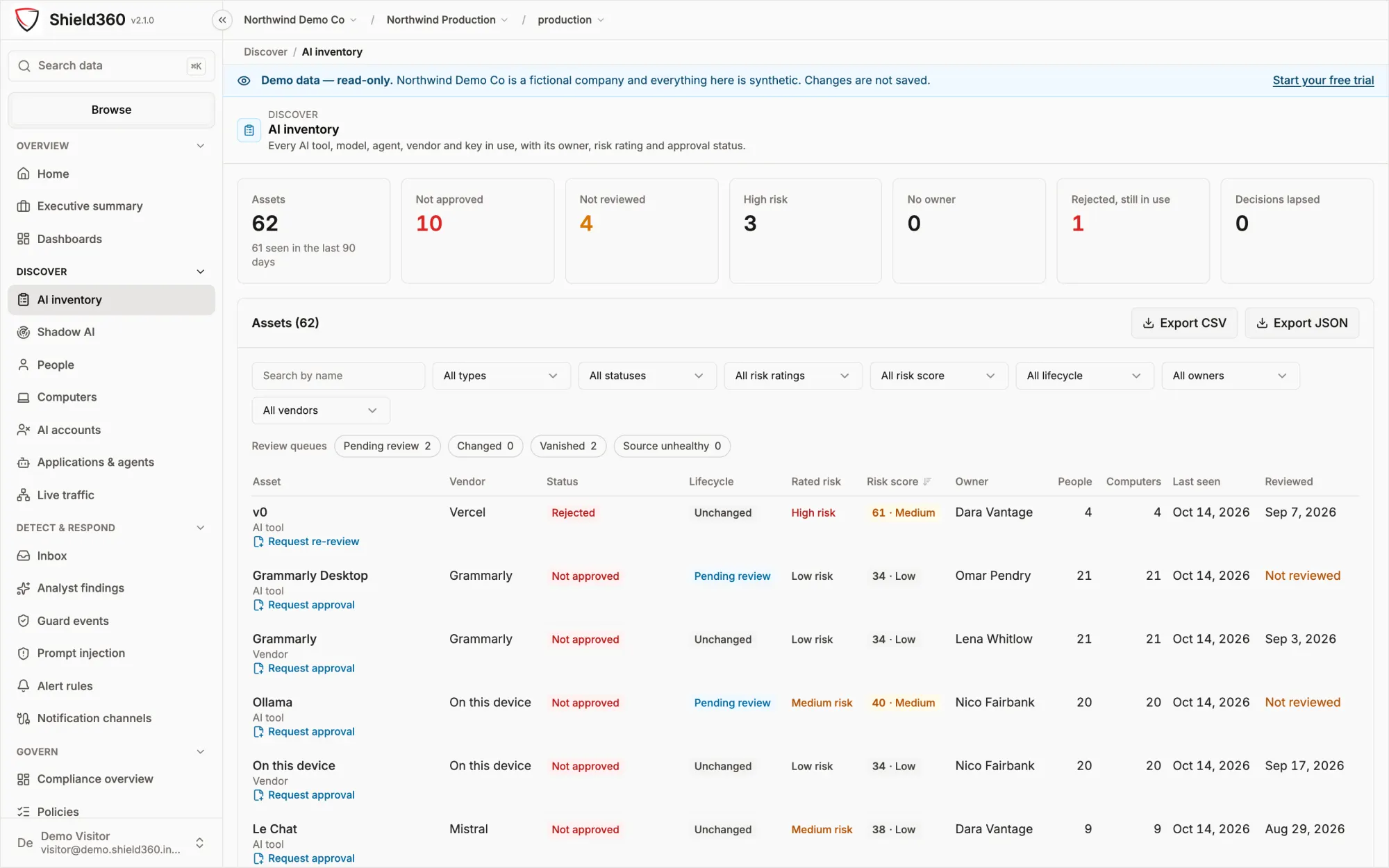
Unedited captures. The inventory capture is the public demo, whose company and figures are synthetic.
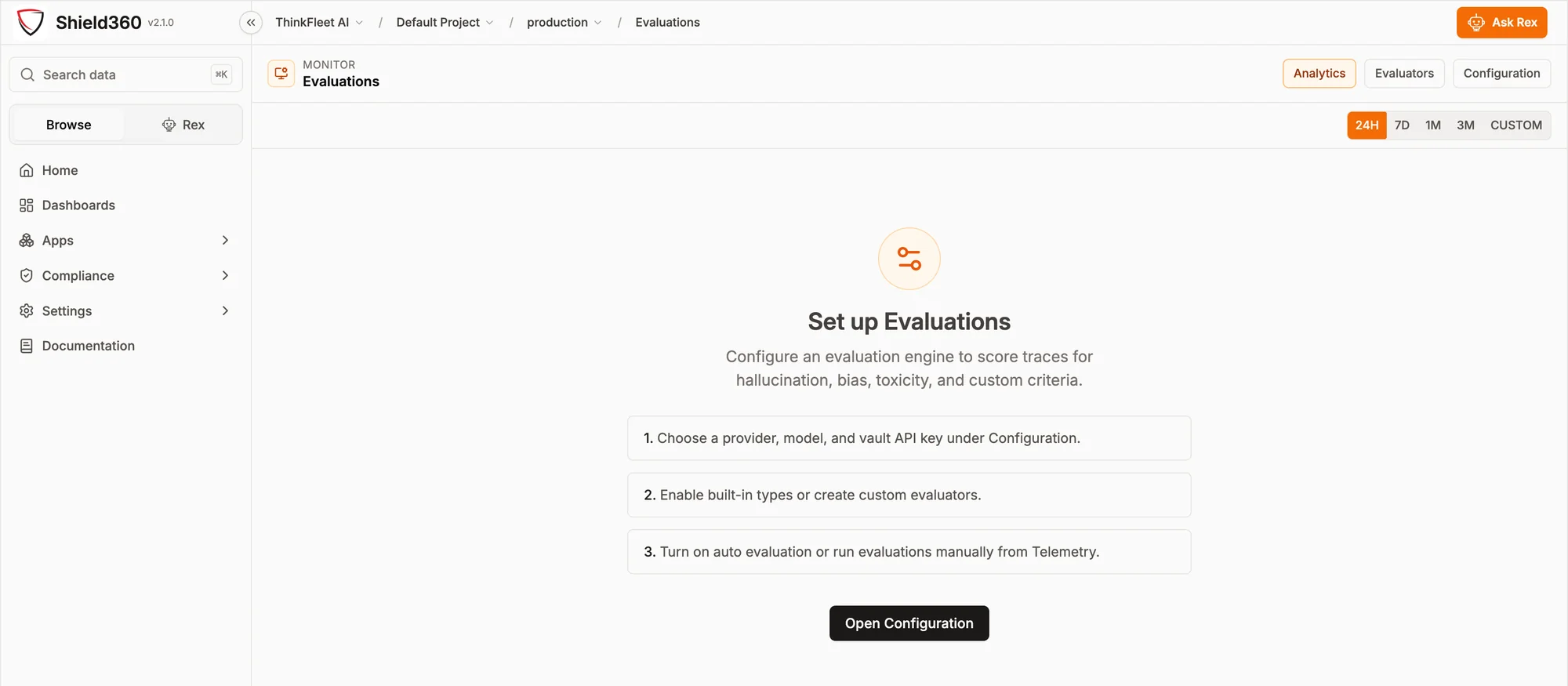
Evaluations
Quality and safety, scored on real traces.
Score traces for hallucination, bias, toxicity, prompt injection and criteria you define, automatically as traces arrive or on demand.
AI inventory
Your apps beside every other AI asset.
Apps and agents that send traces join the inventory with the tools, models, vendors and keys already in it, each with an owner, a risk rating and a decision that expires.
Built to be checked
Built in, not bolted on.
Each of these is built into the product and the SDKs.
4 SDKs TypeScript, Python, Go and .NET, all on OpenTelemetry.
Off by default Prompt and response text, until you turn content capture on.
Your own database Each organization on the hosted service gets its own database.
Never stored Text sent to the guard check API is not stored or logged.
Two ways to use Shield360
Your product’s AI, or your company’s.
The same platform. Start with your apps and add the enterprise side when you need it.
Monitor the AI in your product
- Who it is for
- Teams building AI into their own product or service.
- How data arrives
- From your apps, through the Shield360 SDK for TypeScript, Python, Go or .NET, or any OpenTelemetry exporter.
- What you install
- Nothing on employees’ computers. The SDK goes in each app and sends with your Shield360 API key.
- What you see
- Traces, exceptions, cost and alerts for each app, guard decisions, prompt-injection evaluations, and your apps in the AI inventory.
Govern your company’s AI use
- Who it is for
- Security, finance, compliance and AI governance teams.
- How data arrives
- From the collector on each computer, the browser extension, coding-agent hooks, the optional AI proxy and vendor billing.
- What you install
- The collector on macOS, Windows and Linux, and the extension in managed Chrome and Edge.
- What you see
- Shadow AI and spend by person, guard events, one enforcement policy, the AI inventory and compliance controls.
Do we install anything on employees’ computers?
No. Your apps send their telemetry through the Shield360 SDK or any OpenTelemetry exporter. The collector, the browser extension and the coding-agent hooks are for governing your company’s own AI use, and you can add them later.
Which languages are supported?
The Shield360 SDK is available for TypeScript, Python, Go and .NET. Any other language can send OTLP from an OpenTelemetry exporter, with your Shield360 API key as a bearer token.
Are prompts and responses stored?
Not by default. Every SDK leaves prompt and response text off until you turn content capture on, and evaluations need it on to score a trace. Token counts, cost and timing are always recorded. Text sent to the guard check API is never stored or logged.
Can we see what each app costs?
Yes. Each app reports under its own application name, and token cost, estimated from token counts and model prices, is broken down by application, environment, provider and model. Alerts can fire on cost for one service or per service.
How do we start?
Start free on the hosted service, add the SDK to one app, and set your Shield360 URL and API key. Plans and add-ons are on the pricing page. To run Shield360 in your own environment, book a briefing.
Related resources
Go deeper.
 PlatformTraces and evaluationsOpenTelemetry underneath, with dashboards and evaluations on top.Read the walkthrough
 ArchitectureWhat crosses the boundaryComponents, data flows, and where your telemetry is kept.Read the architecture
 GuideGoverning agentic AIInventory, identity, controls and evidence for the agents you build.Read the guide
Start with one app
See your app’s AI on the record.
Start free on the hosted service, or book a working session on the live product. We say plainly what Shield360 can and cannot answer.
- One app first Add the SDK and your API key, and read its traces.
- Cost and alerts Token cost and alert rules for each app, from day one.
- The enterprise side later The same platform governs your company’s AI use when you need it.
Get started
A free workspace on the hosted service, or a call booked through cal.com.
Start freeOr talk it through